Volumes and networks
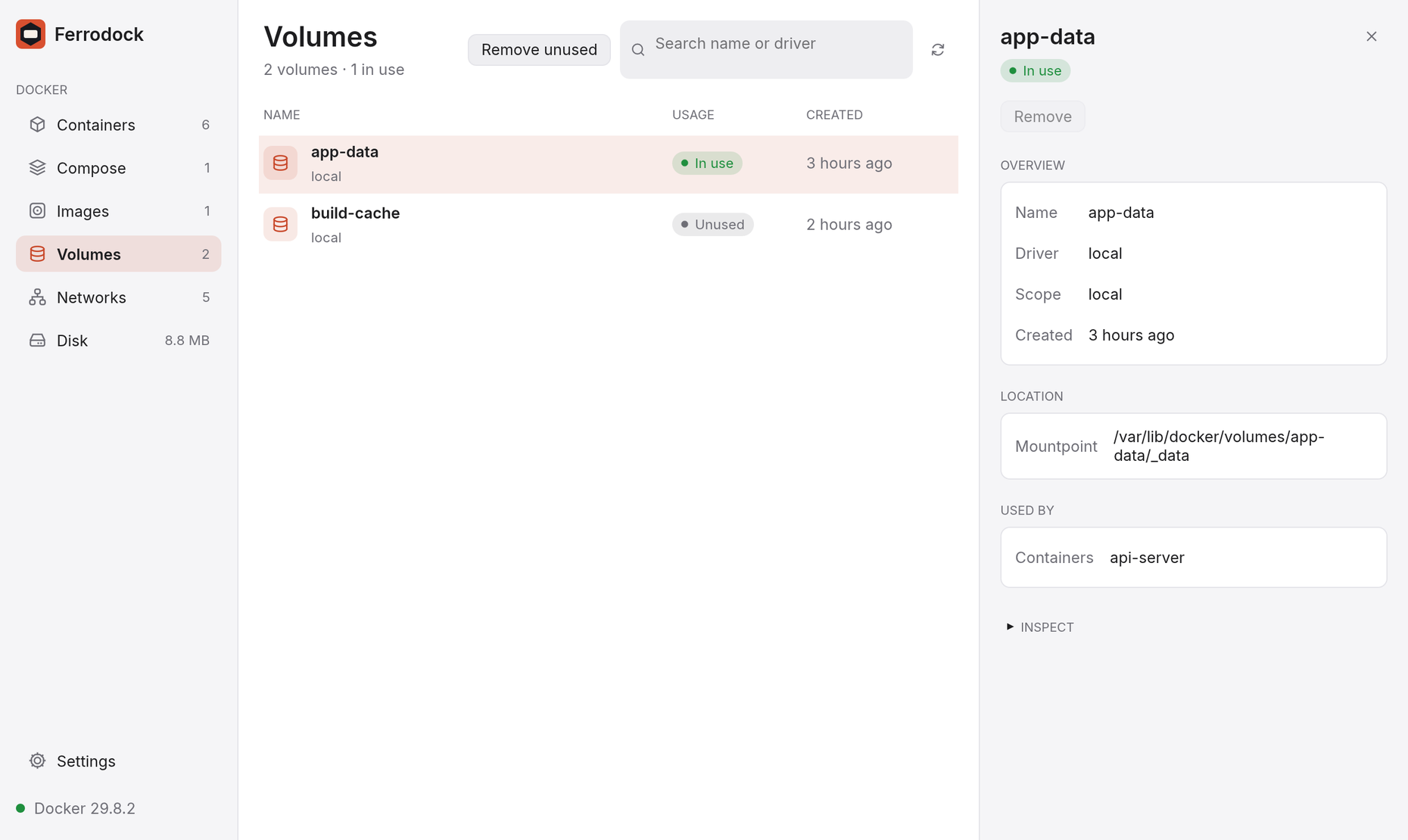
The Volumes and Networks pages show each item with the containers that use it: a volume's driver and mountpoint, a network's driver and subnet.
Creating
New volume and New network create them. A network can get its own subnet, or be internal, with no internet access.
Browsing a volume
Browse files in a volume's details shows what's in it, even when no container uses it: open folders, preview text files and download anything, just like a container's Files tab. The view is read-only.
Behind the scenes, Ferrodock creates a helper container that mounts the volume read-only and never runs. It's hidden from the container list, and removed when you click Done browsing, when the volume is removed, or the next time Ferrodock starts.
Connecting containers to a network
In a network's details, Disconnect takes a container off it, and the picker below Connects another one.
Removing
- Remove in the details pane deletes one item. It's disabled, with the reason on hover, while something still uses it.
- Remove unused in the page header removes everything nothing uses.
Docker's built-in networks (
bridge,host,none) are never touched. - Tick rows (or Select all in the header) to remove several at once. Ones still in use are kept, and the question says so.