Disk cleanup and reset
The Disk page shows how much space images, containers, volumes and the build cache take, and how much of it can be freed. The total is also shown in the sidebar.
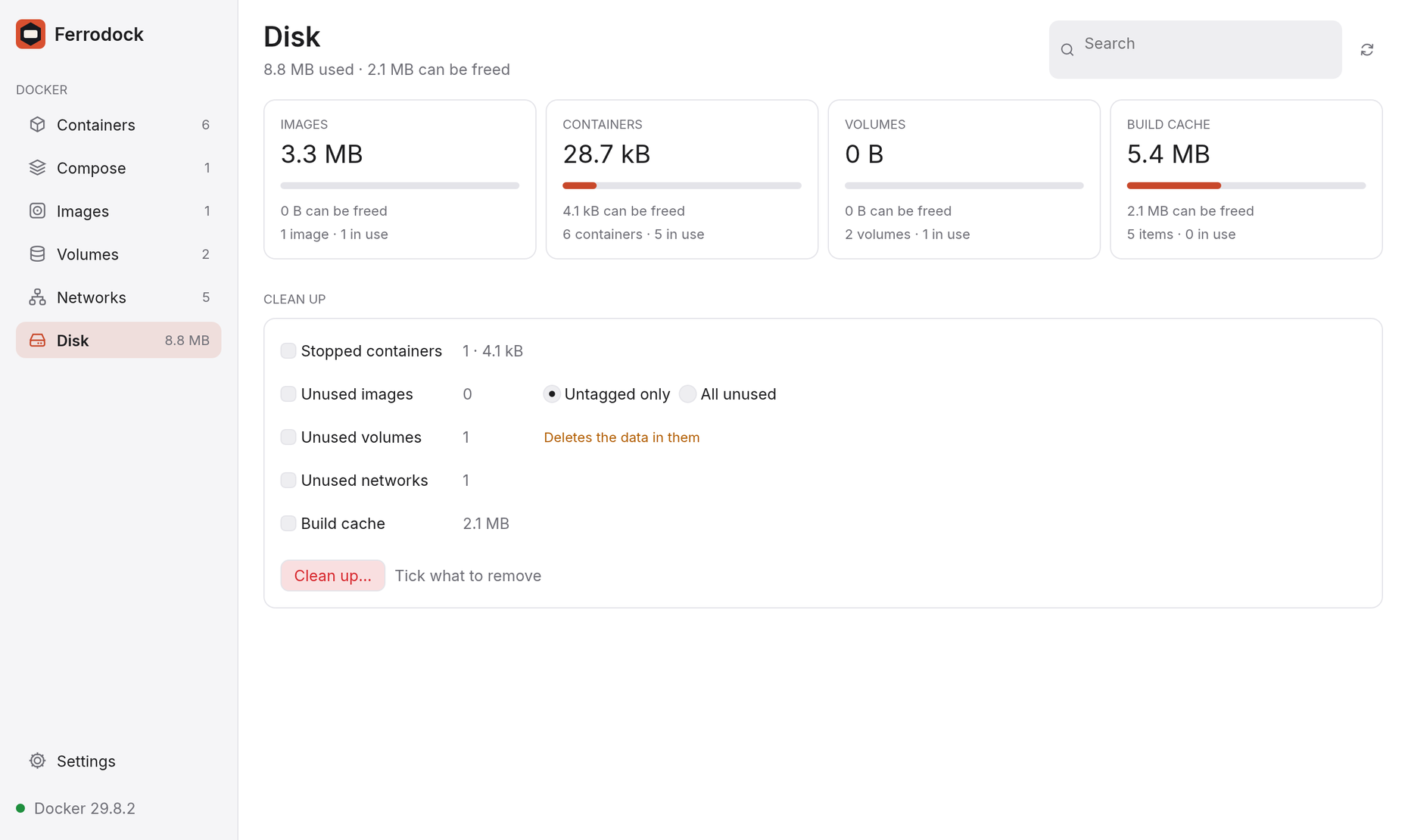
Disk usage is loaded when you open the page or press refresh, never in the background. It needs Docker Engine 29 or newer.
Cleaning up
Under Clean up, tick what to remove: stopped containers, untagged or all unused images, unused volumes, unused networks, or the build cache. Ferrodock lists exactly what will be deleted and asks before it does anything. When it's done, a notification says how much space was freed.
Reset Docker
For a clean start, Reset Docker… in the Danger zone removes everything, in use or not: it stops and removes every container, then removes all images, volumes, custom networks and the build cache.
The question lists what goes, with sizes. Tick Keep volumes to keep
your data, and type reset to confirm.
Reset can't be undone.